Create a new worktree
| Time to read: | Activity duration: |
|---|---|
| 4 minutes | 5 minutes |
Overview
git worktree add {PATH} {BRANCH}This simple command will create a new worktree at the specified path {PATH} to work on branch {BRANCH}.
{PATH}the destination path. If it already exists an error is raised.{BRANCH}is a branch name to checkout.
Note
In most use case you will create a worktree to checkout a given branch. But this {BRANCH} parameter can be a commit, or even a relative log index, like
Check full Git reference.
Activity goal
In this activity you will learn how to create a worktree from an existing repository.
This will allow you to view, or work, on different branches but:
- you have a single local clone to maintain;
- you don't need to switch from branch to branch, just change your current working directory.
Setup activity
Call the helper script to create the wt_add activity:
./scripts/create-playground.sh wt_add[INFO] Starting activity builder for 'wt_add'
[INFO] Created activity folder: /Users/sylvain/dev/lab/git-tutorials/playgrounds/wt_add
Cloning into 'nanorpm_main'...
remote: Enumerating objects: 252, done.
remote: Total 252 (delta 0), reused 0 (delta 0), pack-reused 252 (from 1)
Receiving objects: 100% (252/252), 497.60 KiB | 4.48 MiB/s, done.
Resolving deltas: 100% (147/147), done.
[Step] Cloned repository https://gitlab.com/sgamel-projects/nanorpn.git
Already on 'main'
Your branch is up to date with 'origin/main'.
[INFO] Successfully built activity 'wt_add' in /Users/sylvain/dev/lab/git-tutorials/playgrounds/wt_add
[INFO] You can now navigate to /Users/sylvain/dev/lab/git-tutorials/playgrounds/wt_add to work on the activity.
cd /Users/sylvain/dev/lab/git-tutorials/playgrounds/wt_addThe folder wt_add will contain nanorpm_main, a local clone of an example repository. This repository defines two Git branches:
mainas default branch;playgroundcreated frommainHEAD.
Step by step
From you shell, go to the activity folder. Assuming you are the root of this course clone, change current directory and check list of branches:
cd playgrounds/wt_add/nanorpm_main
git branch -l
* main
playgroundYou can see the two branches on this repository.
As-i, you have no way to start coding in this second playground branch unless you switch to or checkout the branch.
If you need to keep working on the main branch this is not really an option, especially if you have pending changes that you do not want to commit.
Solution is to create a new working tree for this branch:
git worktree add ../nanorpm_work playgroundPreparing worktree (checking out 'playground')
HEAD is now at 4188ec5 Test: add comprehensive integration tests for application workflowThis will create a new nanorpm_work folder next to your clone that will point the the playground branch.
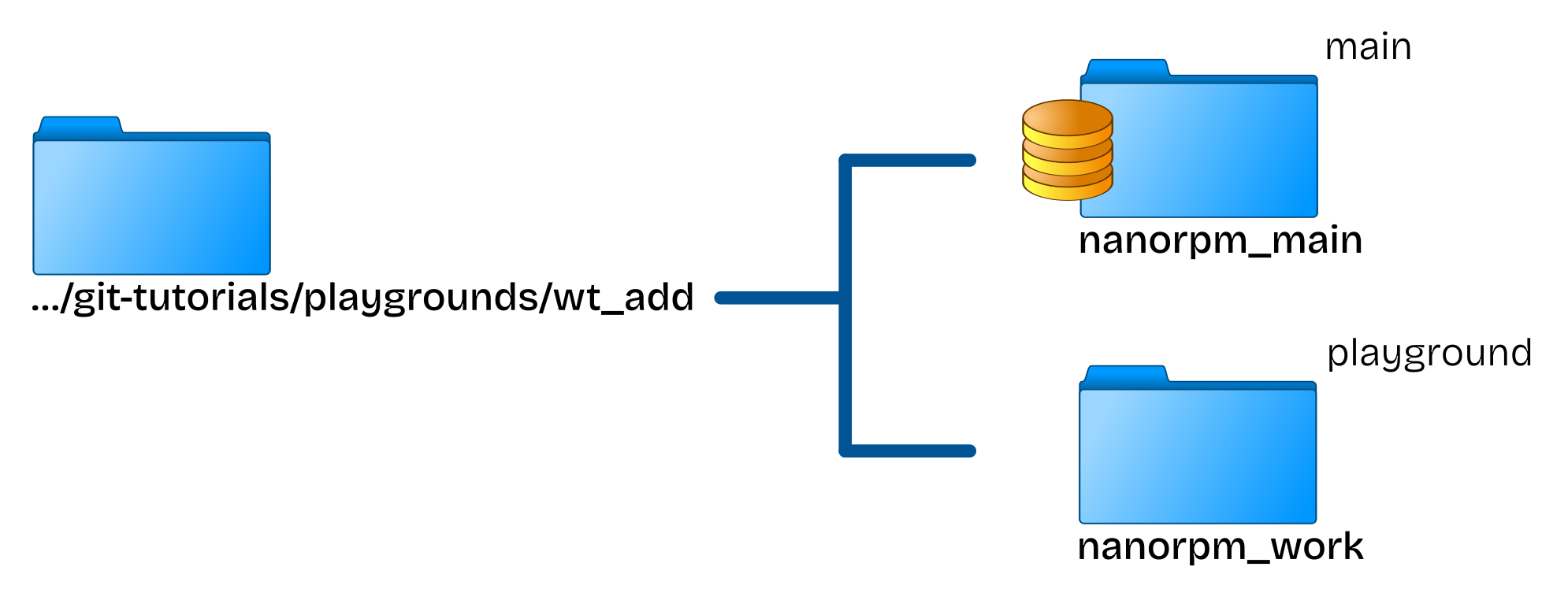
You can now just use both folder as if they were two clones of the same repository:
- each folder is a working folder dedicated to their own specific branch.
- you can commmit in each folder and commit will be applied on the folder's branch.
- you push your changes, switch branches.
But keep in mind the folder is only a view on a given branch. As there's a single repository:
- you can stash pending changes in a common stash stack: stash in one folder and pop, or apply, in another one.
- you can checkout any branch that is not already checked-out in another worktree.
So now, that you know how to create new worktrees, how can you check the one that are available?
That's what we'll see in the following section.